
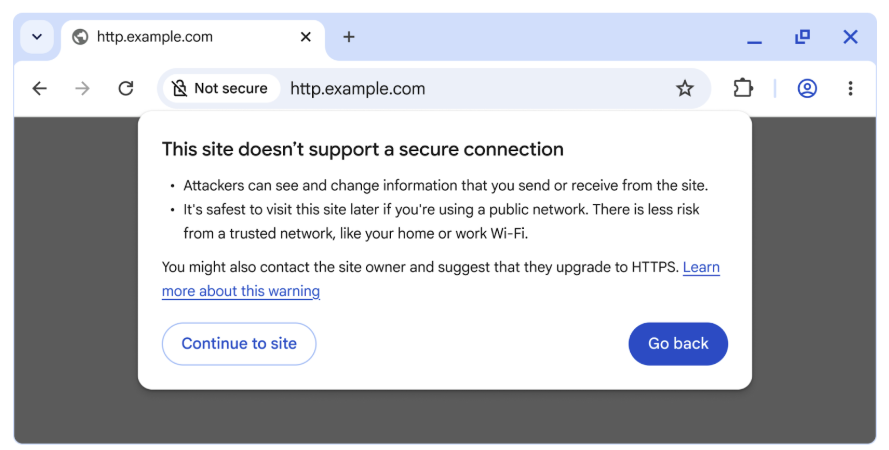
Google announced today that the Chrome web browser will ask for permission by default before connecting to public, insecure HTTP websites, beginning with Chrome 154 in October 2026.
Google Chrome also has an opt-in HTTPS-First Mode since 2021, which added the “Always Use Secure Connections” setting and attempts to connect to websites over HTTPS (HyperText Transfer Protocol Secure), displaying a bypassable warning if HTTPS is unavailable.
However, Google will now enable this option by default to ensure that users visit websites only via HTTPS and are always protected from man-in-the-middle (MITM) attacks that try to snoop on or alter data exchanged with Internet servers over the unencrypted HTTP protocol.
“One year from now, with the release of Chrome 154 in October 2026, we will change the default settings of Chrome to enable ‘Always Use Secure Connections.’ This means Chrome will ask for the user’s permission before the first access to any public site without HTTPS,” the Chrome Security Teamsaid.
“When links don’t use HTTPS, an attacker can hijack the navigation and force Chrome users to load arbitrary, attacker-controlled resources, and expose the user to malware, targeted exploitation, or social engineering attacks.”
Additionally, users will have the option to enable insecure connection alerts for public sites only or for both public and private sites (including enterprise intranets).
It’s important to note that while private sites can still be risky, they are generally considered less dangerous than public sites because there are fewer opportunities for attackers to exploit them, and HTTP can only be misused by attackers within a more limited context, such as a local network like your home Wi-Fi or within a corporate environment.
However, even with both types of warnings toggled on, users shouldn’t be bombarded with notifications, seeing that around 95-99% of all websites have adopted HTTPS, a massive increase from 2015’s adoption rate of roughly 30-45%.
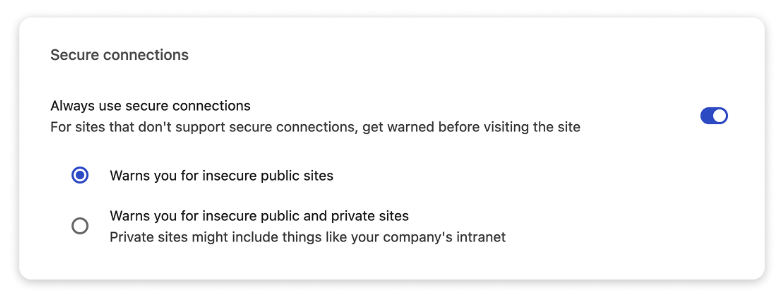
“While it is our hope and expectation that this transition will be relatively painless for most users, users will still be able to disable the warnings by disabling the ‘Always Use Secure Connections’ setting,” Google added.
“If you are a website developer or IT professional, and you have users who may be impacted by this feature, we very strongly recommend enabling the ‘Always Use Secure Connections’ setting today to help identify sites that you may need to work to migrate.”
In October 2023, Google Chromeadded an HTTPS-Upgrades feature that automatically upgrades in-page HTTP links to secure connections for all users, while ensuring a quick fallback to HTTP if needed.
Earlier this month, Google also updated its web browser again to automatically revoke notification permissions for sites that haven’t been visited recently, to reduce alert overload.
Sergiu Gatlan
Sergiu is a news reporter who has covered the latest cybersecurity and technology developments for over a decade. Email or Twitter DMs for tips.