
HP has pulled an HPOneAgent software update for Windows 11 that mistakenly deleted Microsoft certificates required for some organizations to log in to Microsoft EntraID, disconnecting them from their company’scloud environments.
The bug was discovered by Patch My PC’s Rudy Ooms, who traced it to a silent, background update deployed by HP to its AI PC devices.
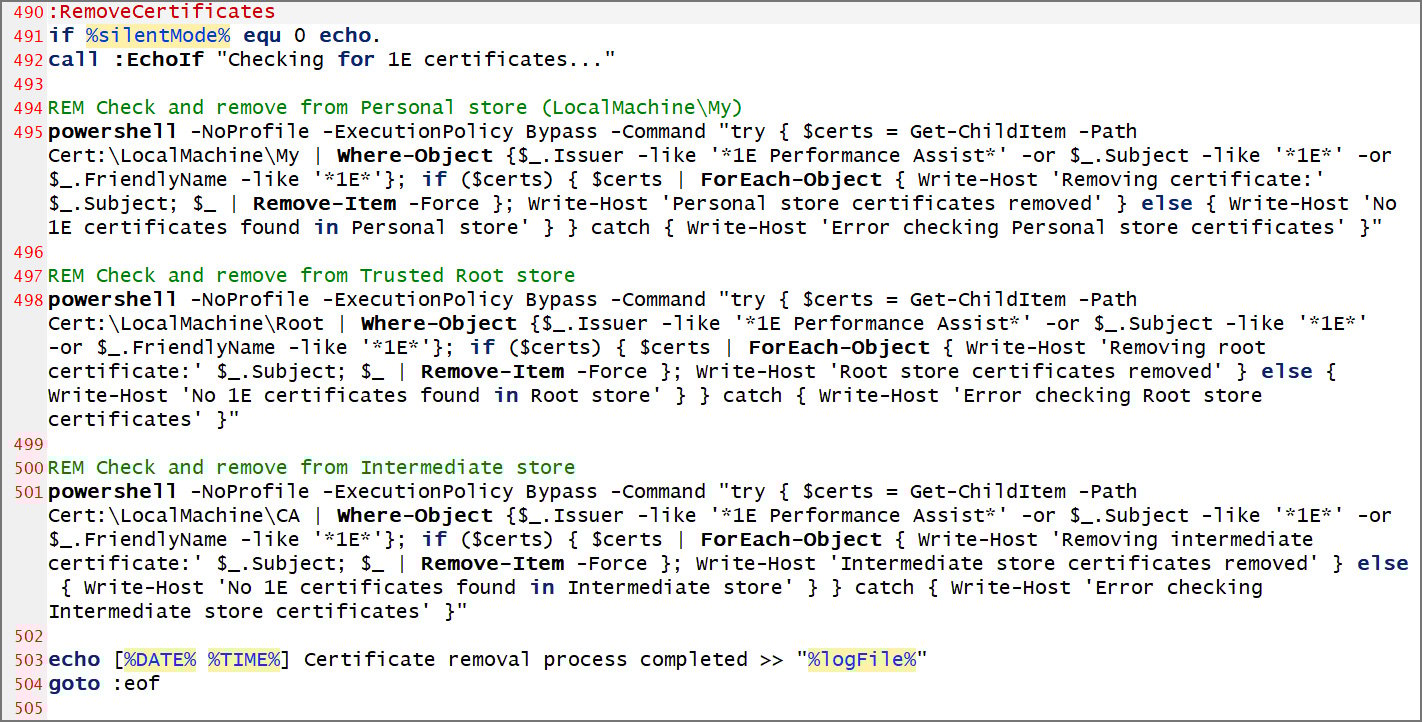
According to Ooms, systems that installed the HP OneAgent version 1.2.50.9581 automatically executed a cleanup package named SP161710.The package included an install.cmd script that was designed to remove any remnants of HP’s 1E Performance Assist software.
One of the subroutines in this script would search for and delete any certificate containing the “1E” substring in its subject, issuer, or friendly name. However, a script like this is risky as it could lead to false positives and delete certificates it was not designed to target.
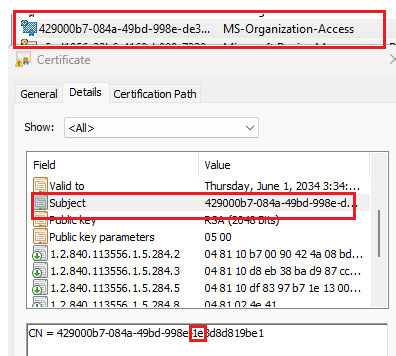
For a subset of users, Ooms said their “MS-Organization-Access” certificate had a thumbprint containing the “1E” substring, which caused HP’s cleanup script to delete the certificate.
Ooms confirmed from the logs that the OneAgent’s update instructions came directly from HP’s AWS IoT infrastructure.
Limited impact
Ooms says that because each organization receives a unique certificate, there is only a 9.3% chance that certificates contain the “1E” chain in the Subject field. As the cleanup script was only pushed out to HP AI PCs, the impact is likely even smaller.
Furthermore, while the faulty script’s most visible effect was on Microsoft Entra ID authentication, it may also have removed other legitimate certificates used by different platforms.
In a statement to BleepingComputer, HP confirmed that it had pulled the problematic update and stated that it is assisting impacted customers.
“HP is aware of a potential issue affecting some HP AI PCs related to a recent over the air update,” HP told BleepingComputer. “The update is no longer available and will not affect more AI PCs. We’re investigating the issue and working closely with impacted customers on mitigation.”
Ooms says that those devices that are impacted by the faulty script now require a manual recovery process to be able to rejoin the domain, and shared the following steps for those with local access to the device:
- Sign in with the local admin (LAPS) account.
- Run a cleanup script created by Ooms that removes all Intune enrollment data, which will be recreated in the following steps.
- Rejoin the device to Entra ID.
Ooms’ article also describes an additional method for remotely fixing a device using Microsoft Defender’s Live Response feature.
Lawrence Abrams
Lawrence Abrams is the owner and Editor in Chief of BleepingComputer.com. Lawrence’s area of expertise includes Windows, malware removal, and computer forensics. Lawrence Abrams is a co-author of the Winternals Defragmentation, Recovery, and Administration Field Guide and the technical editor for Rootkits for Dummies.
You may also like: